UptimeRobot fits
You need many free monitors
Fifty free monitors is a lot. So for a long list of simple sites, UptimeRobot's free plan covers more.
Looking for an UptimeRobot alternative usually means alerts get missed, the status page needs more, or background jobs go unwatched. Each row below comes from the two companies' own published plans.
Last updated November 19, 2026
UptimeRobot is a well-known uptime monitor with a generous free plan, so for many sites it is the right choice. UptimeClaw is built around a different priority. It gets the alert in front of a person, on the phone they already use.
So this page does not pretend one tool wins everywhere. Instead, it shows where each is stronger, so you can pick one, or run both.
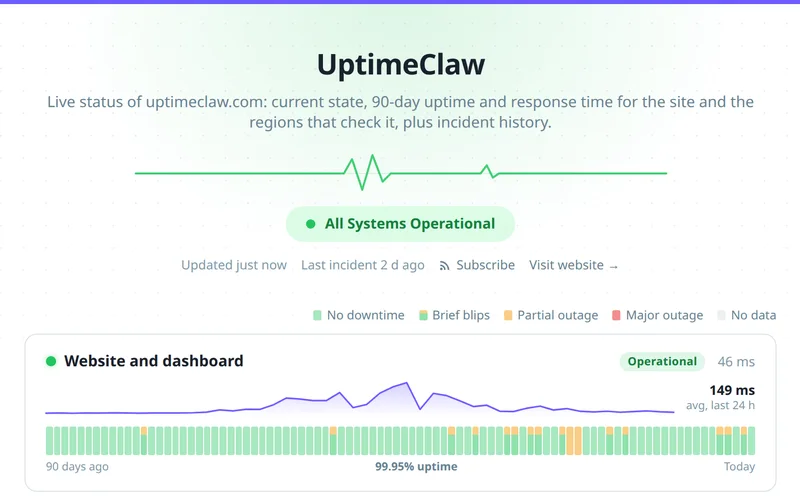
Free plans as published on November 19, 2026. Plans change, so check the source before you decide.
| UptimeClaw | UptimeRobot | |
|---|---|---|
| Free monitors | 5 | 50 |
| Fastest check on the free plan | 5 minutes | 5 minutes |
| Status pages on the free plan | 1, filled from your monitors | 1 basic status page |
| WhatsApp and Telegram alerts | Every plan | Not listed on the pricing page |
| SMS and voice alerts | Not offered | Paid credits on paid plans |
| Heartbeat (cron job) monitoring | Every plan | Listed; the free plan's list does not include it |
| Status page on your own domain | From the Solo plan | From the Solo plan |
Source: UptimeRobot pricing, read November 19, 2026, and UptimeClaw's plans.
An honest split, so you pick the right tool the first time.
Fifty free monitors is a lot. So for a long list of simple sites, UptimeRobot's free plan covers more.
UptimeRobot sells SMS and voice credits on its paid plans. UptimeClaw, by contrast, sends alerts by chat apps, email and webhooks.
If brand matters most, a status page on your own domain comes with UptimeRobot's paid plans.
Because WhatsApp is on every plan, alerts land where people actually look. Telegram, Slack, Discord, Teams, PagerDuty, email and webhooks too.
Even on the free plan, cron job monitoring is included.
Incidents open and close from your monitors, so nobody posts updates by hand. See the free status page.
First run both side by side for a week. Then turn the old checks off once the alerts match.
Yes, there is a free plan with 5 monitors checked every 5 minutes, one status page and alerts on every channel. That said, UptimeRobot's free plan has more monitors.
Yes. WhatsApp, Telegram, Slack, Discord, Teams, PagerDuty, email and webhooks are on every UptimeClaw plan.
Yes. Push monitors watch scheduled jobs and alert when a run is missed or reports a failure, on every plan.
Yes, and it is the best way to compare. Because the checks run separately, the two never interfere.
Add them in the dashboard or script it with the REST API, connect your alert channels, and run both for a week.
From Virginia on every plan, and from up to six locations across the US, Europe and Asia on paid plans.
The free plan needs no card. Run both for a week and compare.
Pingdom alternative · Statuspage alternative · WhatsApp alerts · Pricing · All features