Pingdom fits
You need transaction checks
Scripted checks of a login or checkout flow are part of Pingdom's synthetic monitoring, so it catches a broken checkout even while the site is up.
People look for a Pingdom alternative when they want uptime checks and alerts without a trial clock or a larger monitoring suite. Each row below comes from the two companies' own published plans.
Last updated November 19, 2026
Pingdom covers uptime checks, browser transaction checks and real user monitoring, which suits teams that need all three. UptimeClaw focuses on uptime, cron jobs and status pages, with alerts on the apps your team already reads.
So if transaction checks or real user monitoring are what you need, Pingdom is the stronger pick. But if you want reliable uptime alerts and a status page without a trial, read on.
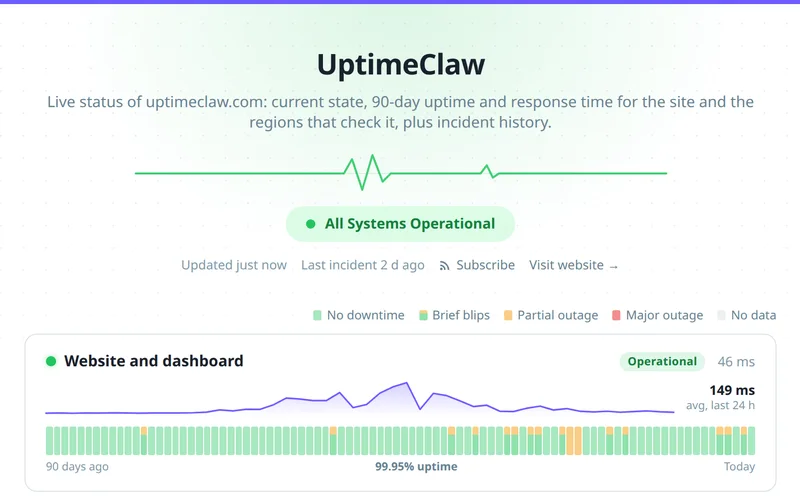
Entry plans as published on November 19, 2026. Plans change, so check the source before you decide.
| UptimeClaw | Pingdom | |
|---|---|---|
| Free plan | Yes, 5 monitors | No; a free trial |
| Uptime checks at entry level | 5 on the free plan | 10 uptime checks |
| Public status page | Yes, filled from your monitors | Public status pages and reports |
| SMS alerts | Not offered | 50 included at entry level |
| Browser transaction checks | Not offered | Transaction monitoring |
| Real user monitoring | Not offered | Separate product |
| Heartbeat (cron job) monitoring | Every plan | Not listed on the pricing page |
Source: Pingdom pricing, read November 19, 2026, and UptimeClaw's plans.
An honest split, so you pick the right tool the first time.
Scripted checks of a login or checkout flow are part of Pingdom's synthetic monitoring, so it catches a broken checkout even while the site is up.
When lab checks are not enough, Pingdom's real user monitoring measures what visitors actually experience.
If your team lives on SMS, Pingdom includes SMS alerts at entry level.
A free plan with monitors, a status page and alerts. Because there is no trial, there is no clock running.
WhatsApp, Telegram, Slack, Discord, Teams and PagerDuty on every plan.
Cron job monitoring and API monitoring sit beside your uptime checks.
First run both side by side for a week. Then turn the old checks off once the alerts match.
Yes. 5 monitors checked every 5 minutes, one status page and alerts on every channel, with no card. Pingdom offers a free trial instead.
No. UptimeClaw checks websites, APIs, ports, DNS and scheduled jobs. So for scripted browser flows such as a checkout, Pingdom's transaction monitoring is the better fit.
Yes. HTTP checks send your method, headers and body, so they can also require text in the response.
Yes, on every plan. It updates itself from your monitors, with 90 days of history.
List your checks, add them in the dashboard or with the REST API, connect alerts, and run both for a week.
From Virginia on every plan, and from up to six locations across the US, Europe and Asia on paid plans.
The free plan needs no card. Run both for a week and compare.
UptimeRobot alternative · Statuspage alternative · API monitoring · Pricing · All features